
Every lead from your site, on your phone.
A homeowner fills in the form on your site. Her name and what she wants are on your phone the same minute. One tap calls her back when you're free.

Free with every site I build. iPhone.
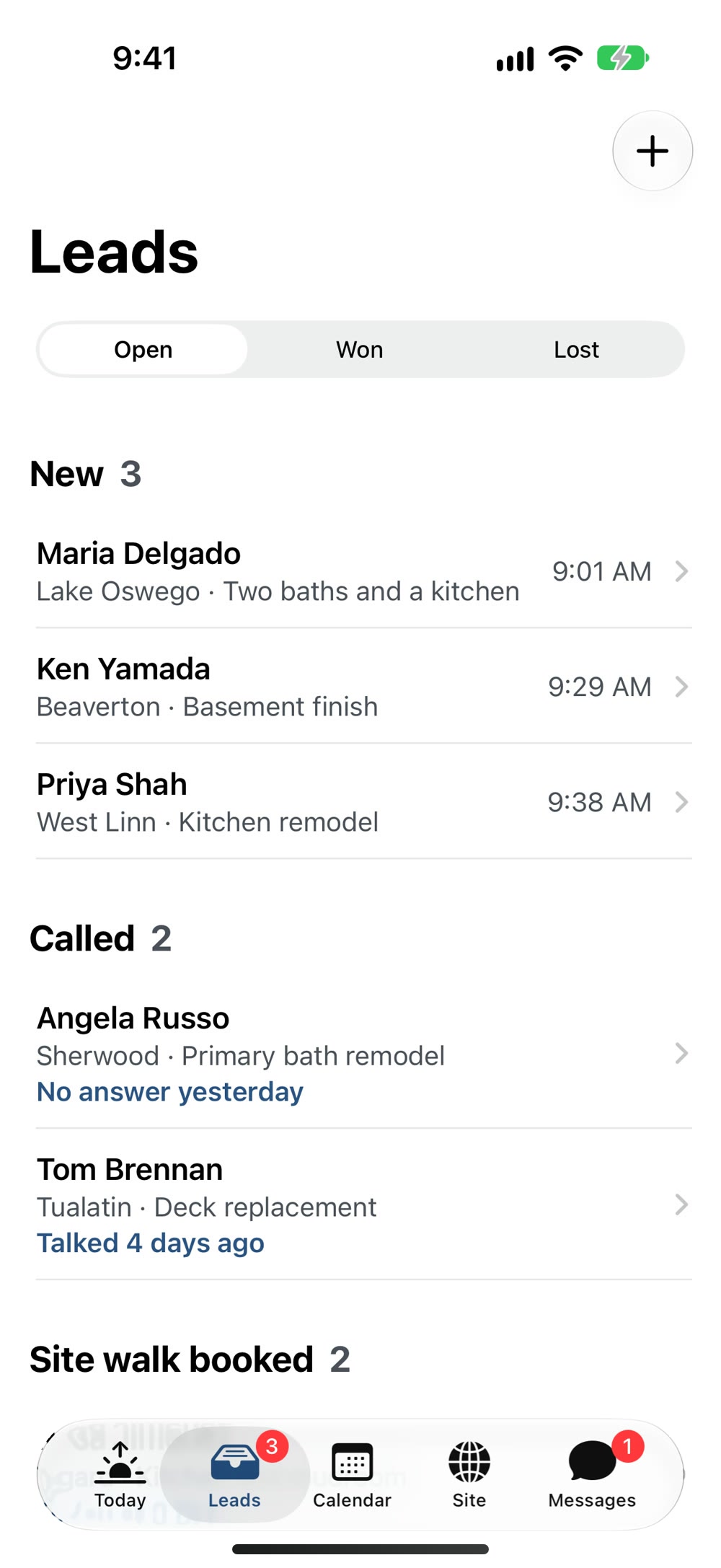
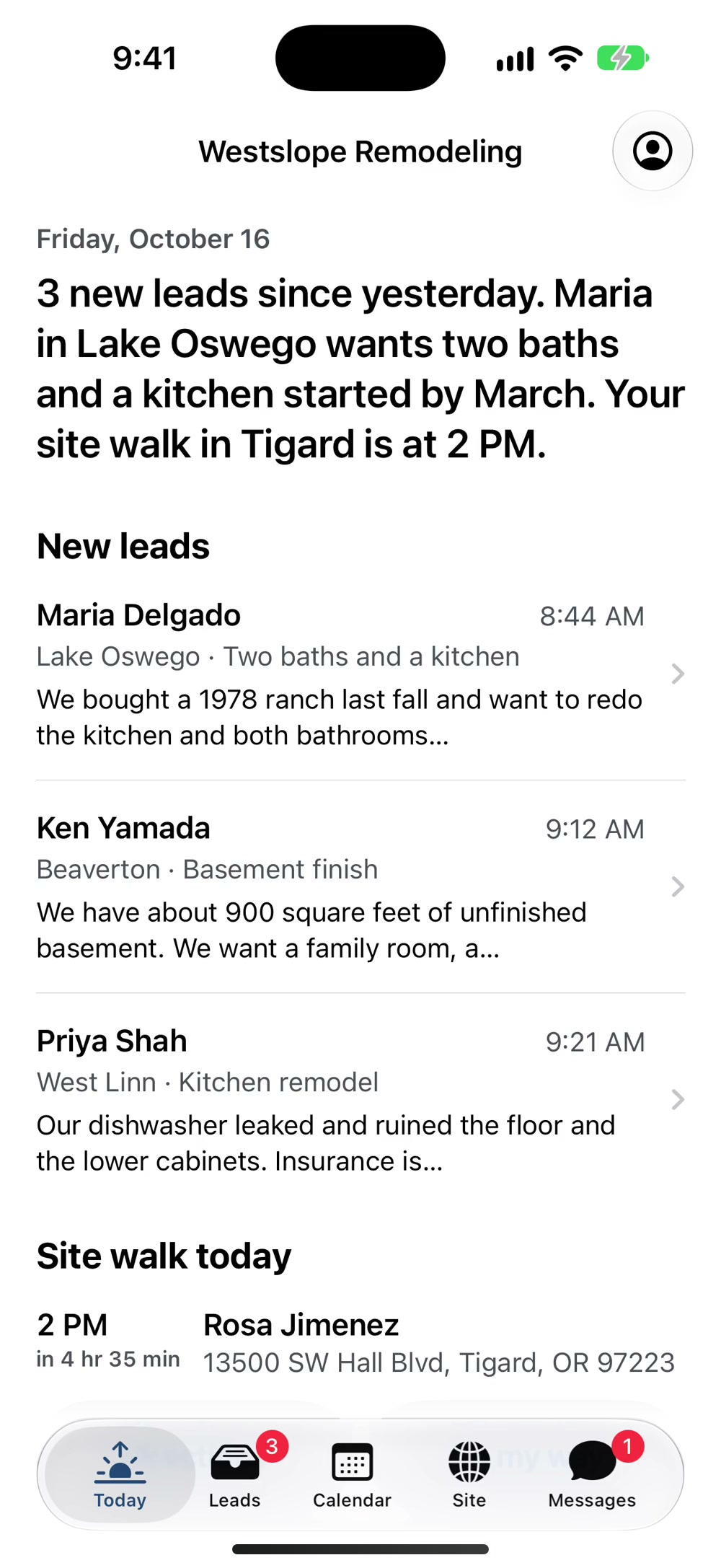
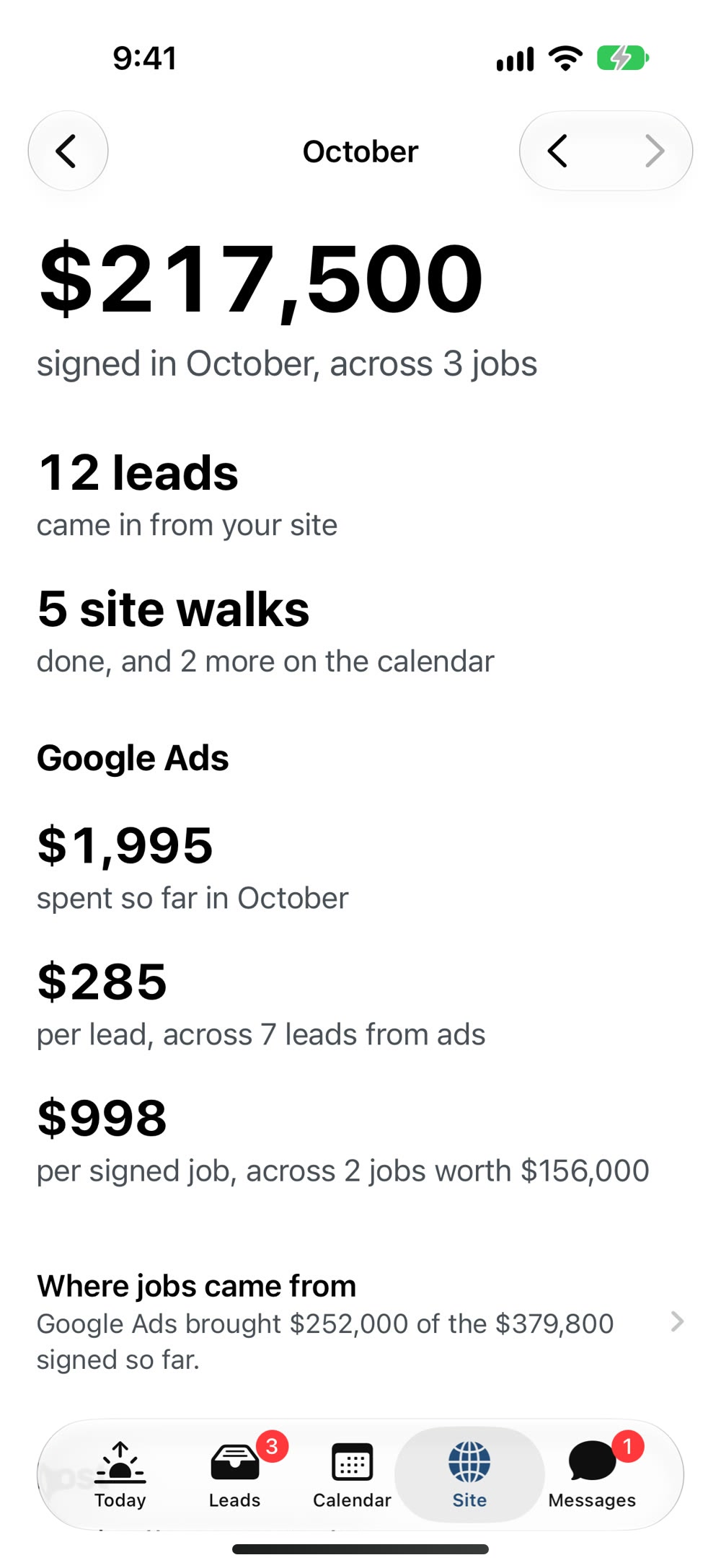
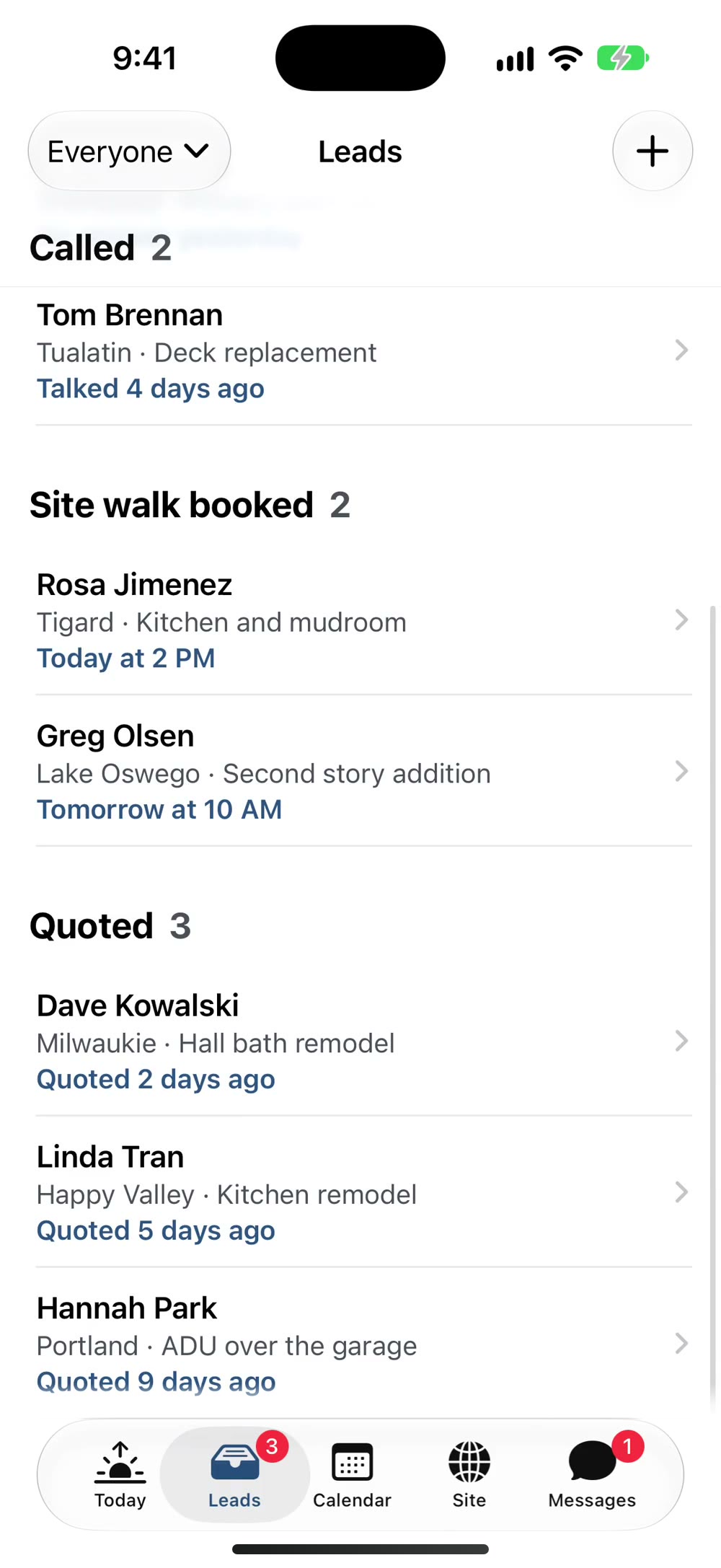
One lead, from the form on your site to the signed contract.
Every screen here is a recording of the app, not a drawing. There's nothing in it you won't use.
Swipe it to Won. It goes straight into your numbers.
Type what the contract is worth. The app makes a small fuss about it, and then it's a dollar figure on your Site tab, next to what the ads cost to bring it in.
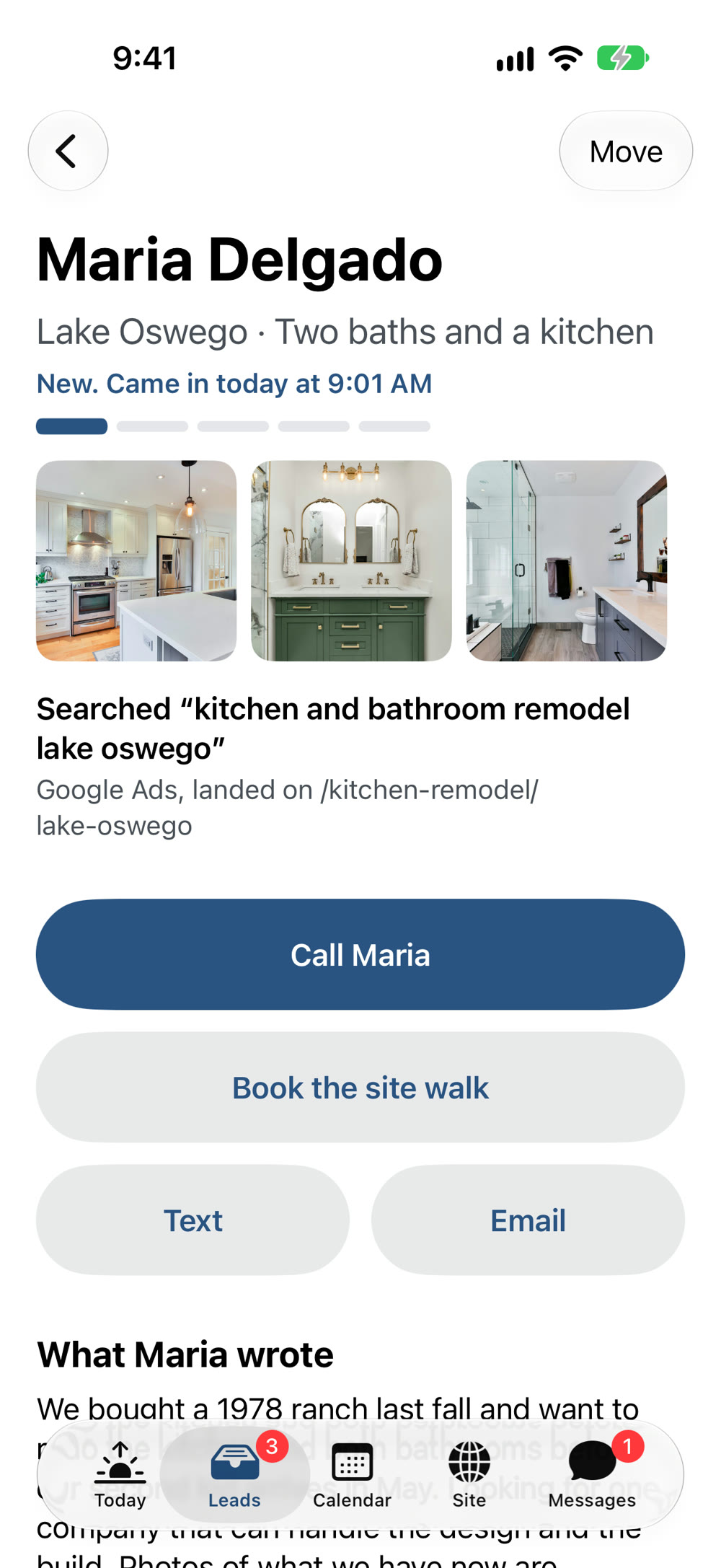
Call, text, or book the walk. One tap each.
If she doesn't pick up, one tap sends a first text in your name, and the lead shows you tried.
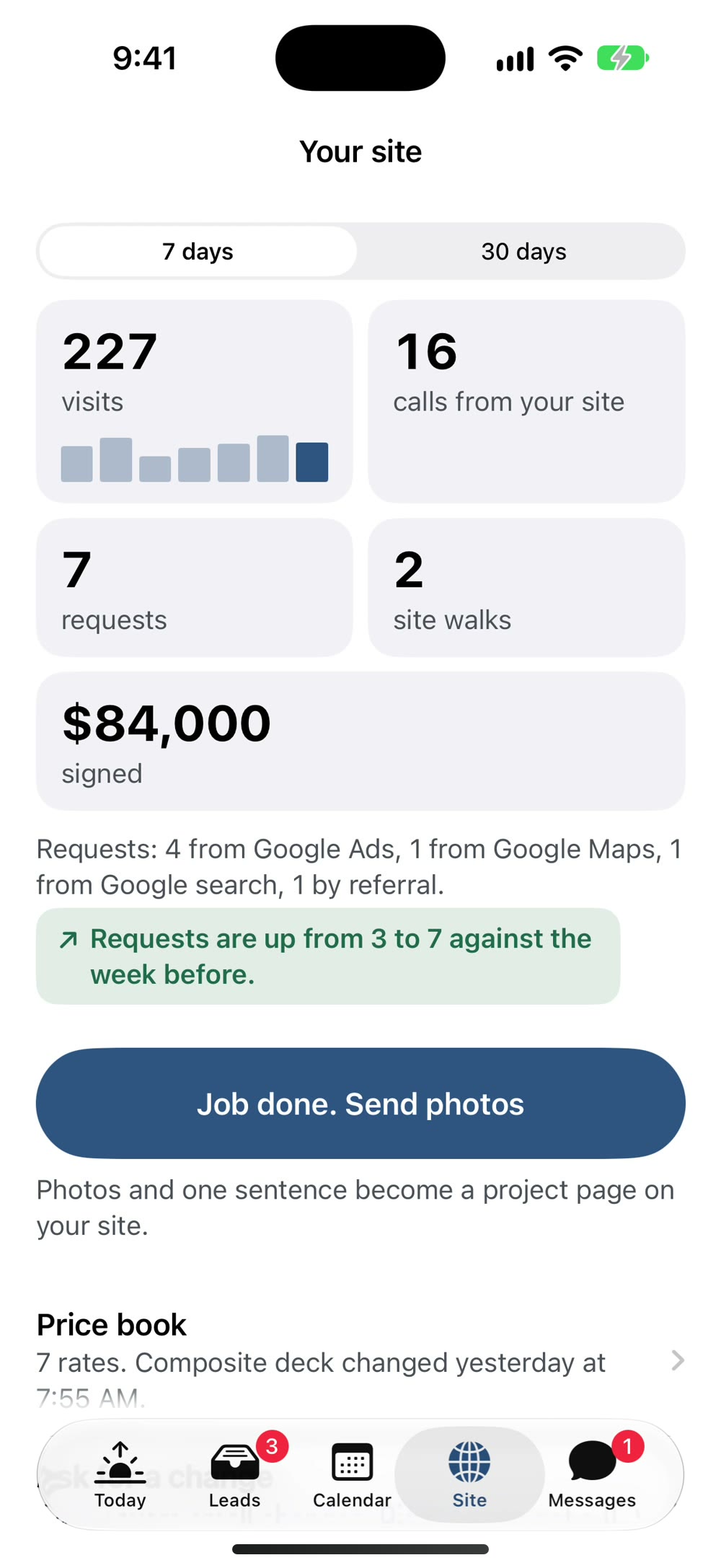
What the site and the ads brought in.
Visits, calls, requests, site walks, and dollars signed, this week against last. Plain numbers you can read in the truck.
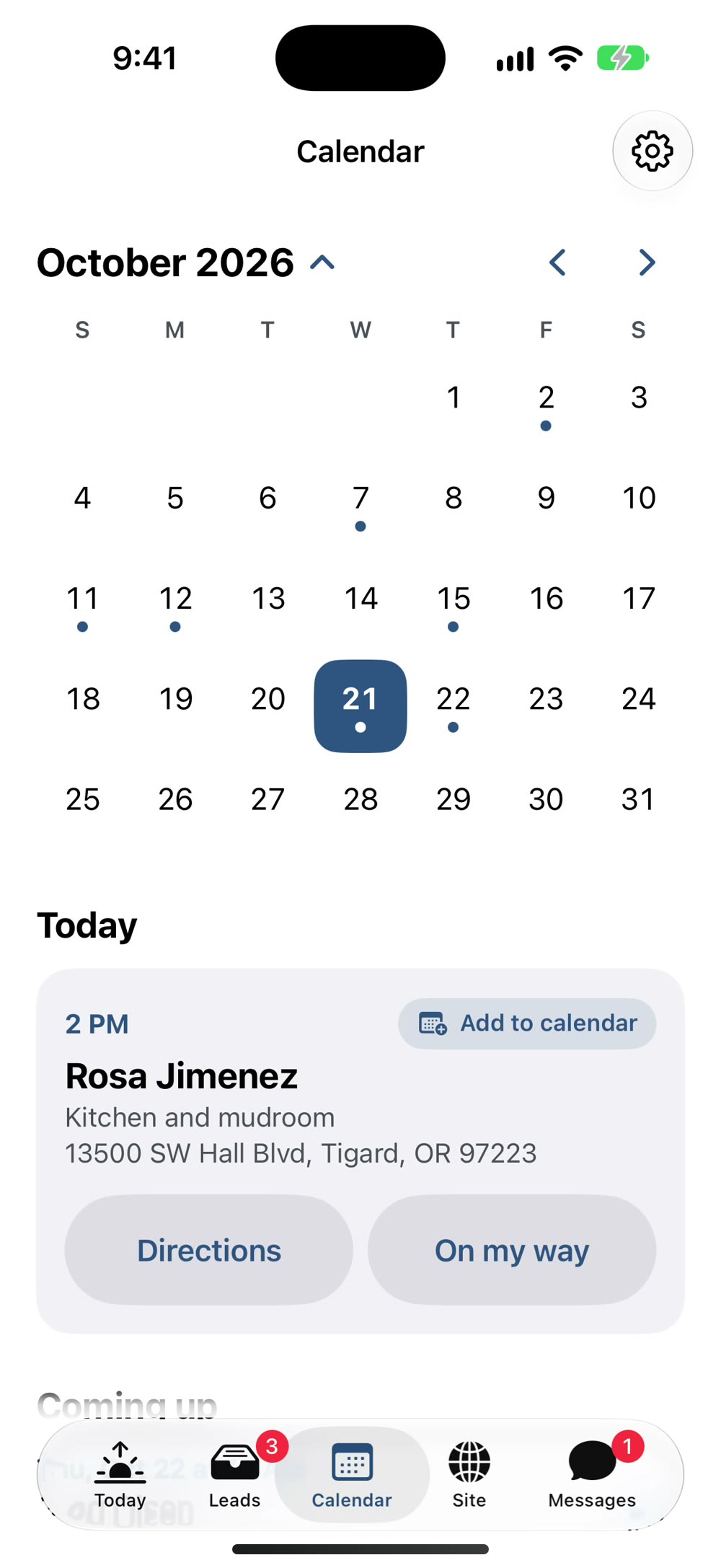
Your week, with the addresses.
Every site walk on one calendar with a Directions button. On the morning of, On my way sends her a text with your name on it.
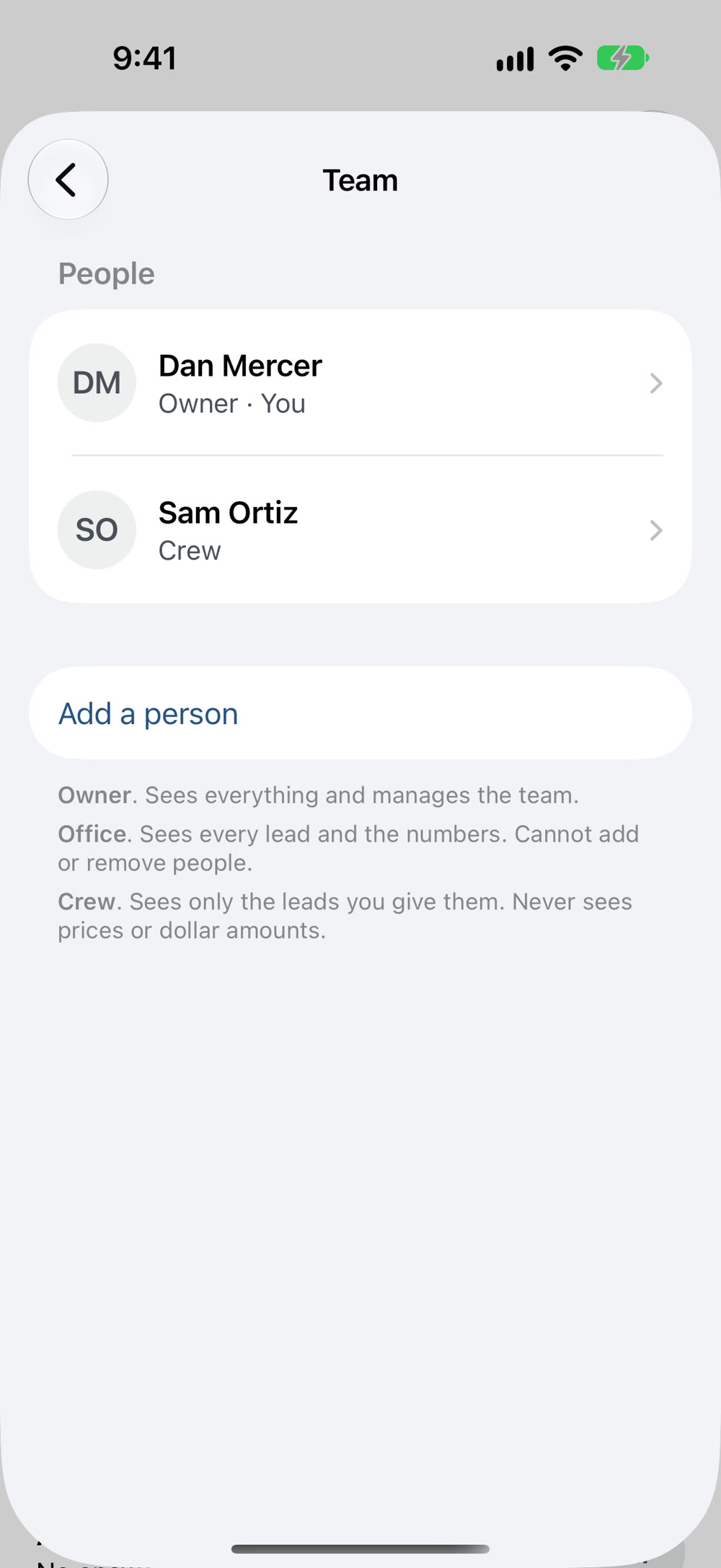
Your office and your crew, each with their own login.
Hand a lead to the person running it. Crew see the job and the address, never the price. One tap takes someone off when they move on.
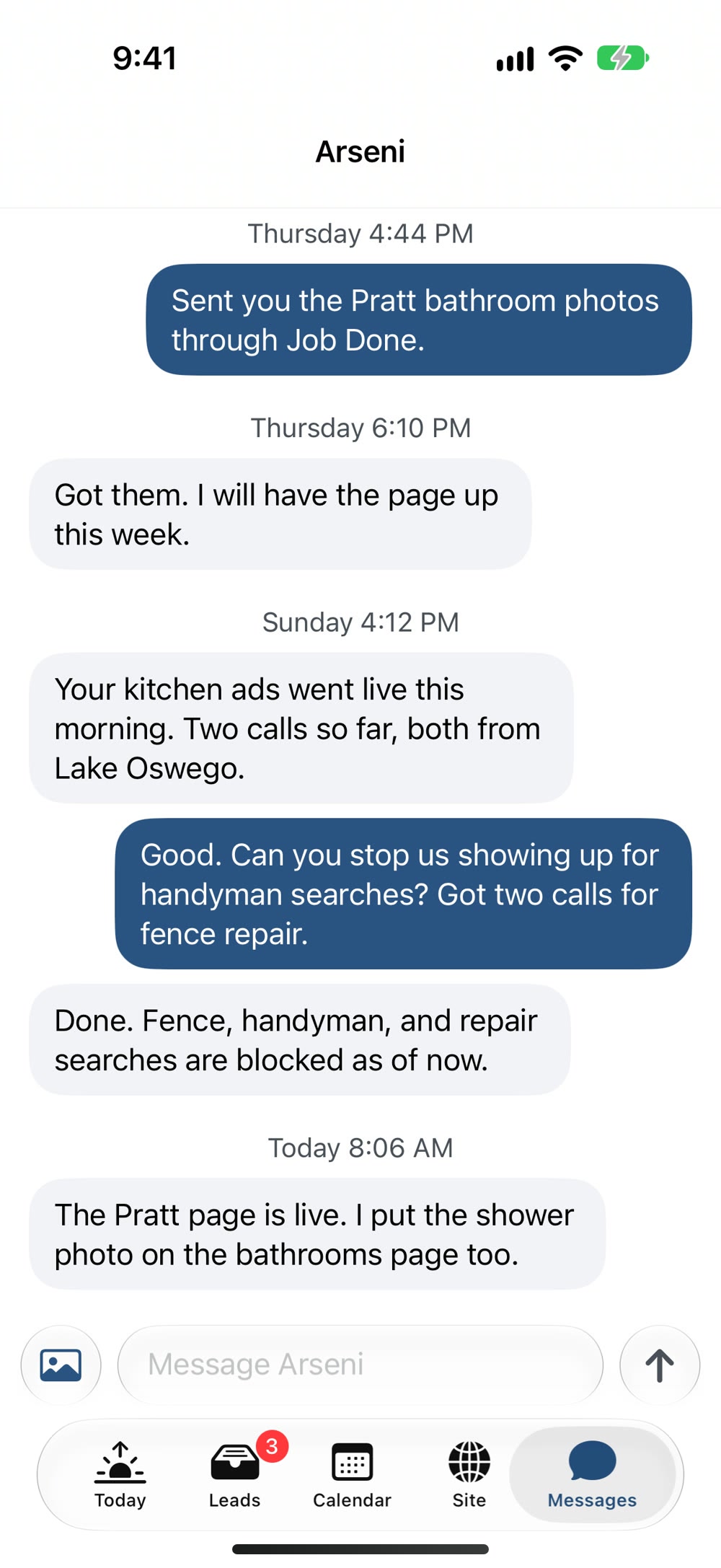
A straight line to me.
The Messages tab goes to my phone. A bad lead, a question about the ad, photos of a finished job for your site. No support line to wait on.
Two things you'd otherwise have to ask me.
Which leads turned into money, and what I got done on your site. Both fill in on their own.
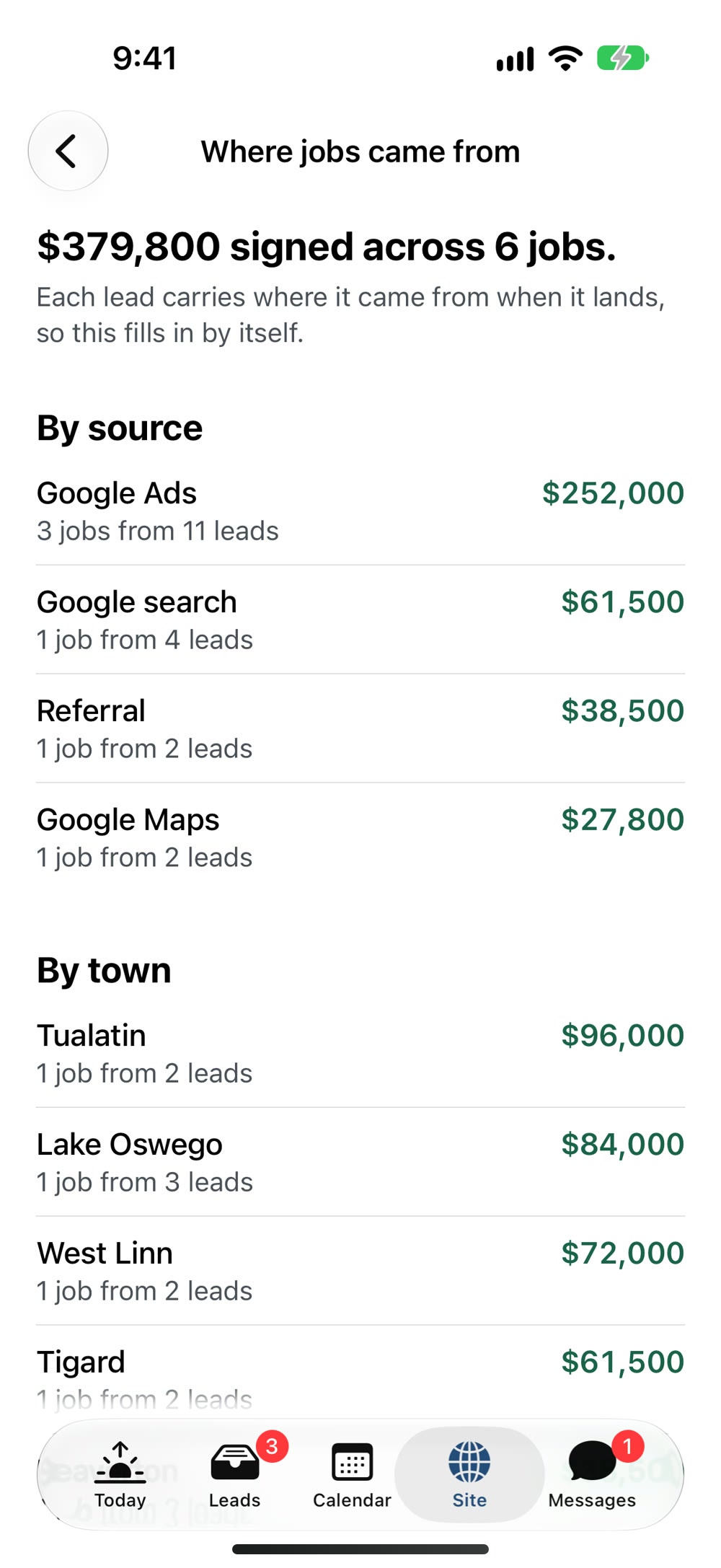
Which leads turned into signed jobs.
Every signed job is traced back to where it started: the ad, the search, the town, the page on your site. You see what the ads paid for, in dollars.
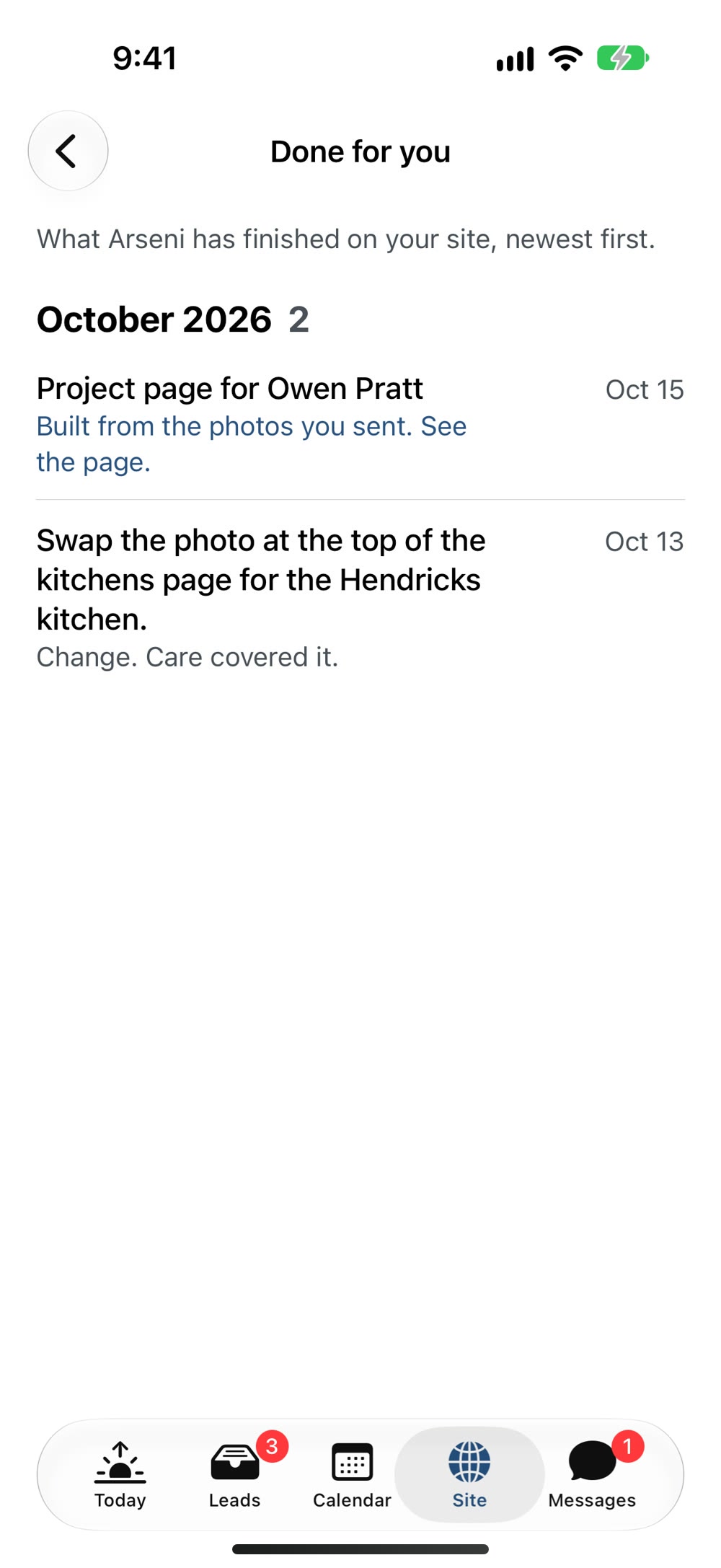
What I got done on your site.
Every change you asked for and every project page I put live, each with its day. No need to ask where something stands.

Built by the person who builds your site.
I'm Arseni. I build the site, run the ads, and built this app so nothing falls between the two. There's no support department. The Messages tab goes straight to my phone.
4.7 on Google from 22 reviews, listed under ePageUSA, the firm behind Contractor Marketing NW.
Get it on your phone.
Three steps, about two minutes. Then it sits quiet until a lead lands.
On the App Store soon. I'll send you the link the day it's live.
-
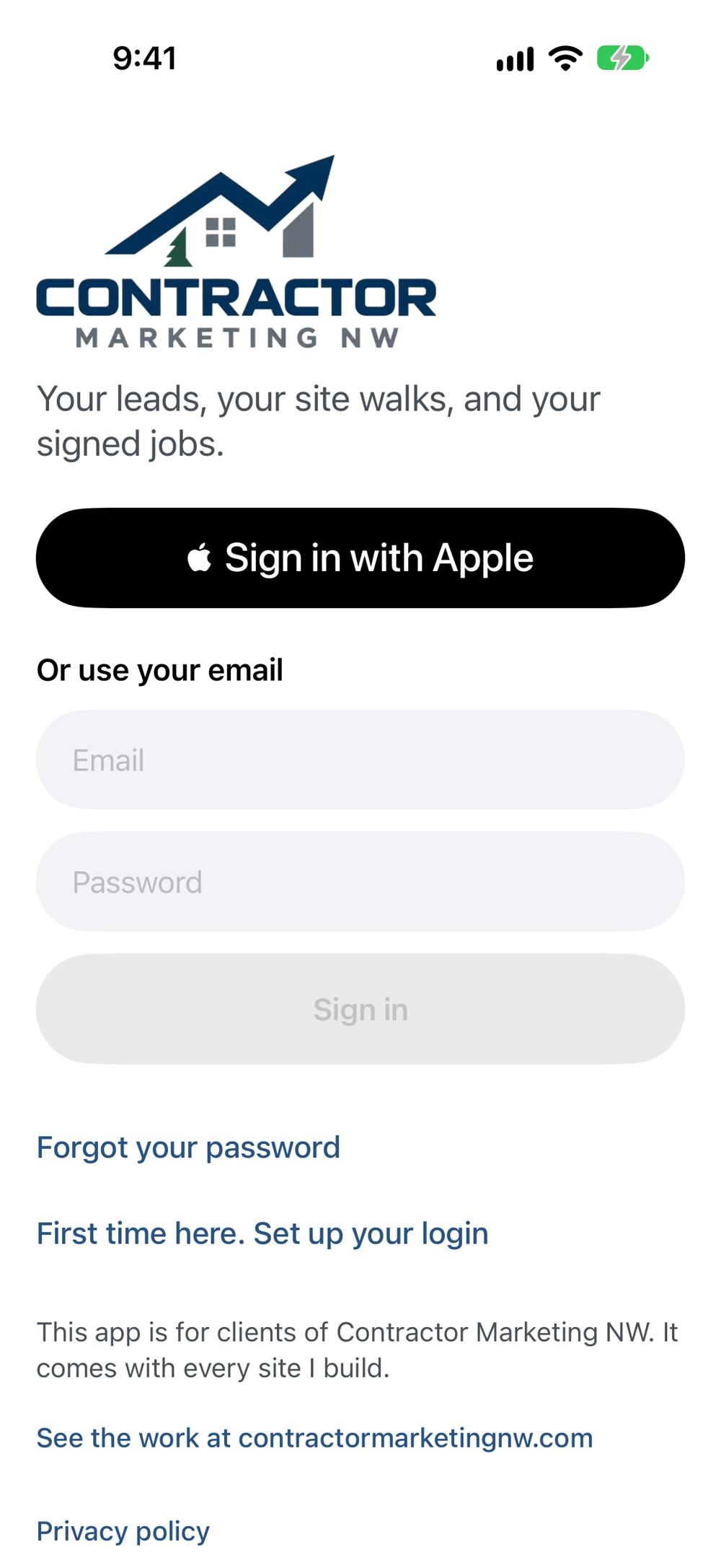
Get the app.
Free for iPhone. The link comes to you the day it's on the App Store.
-
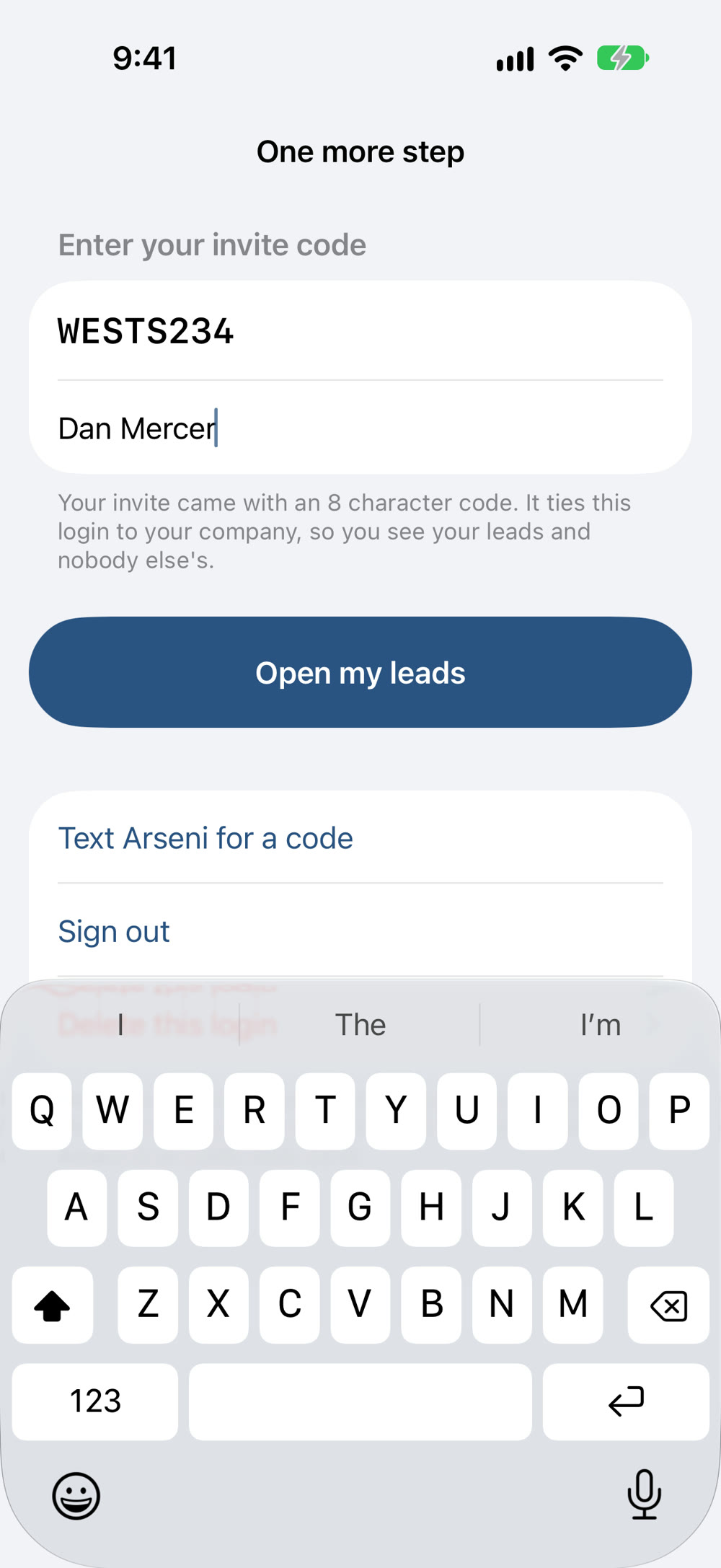
Type the code from my email.
It ties your login to your leads and nobody else's.
-
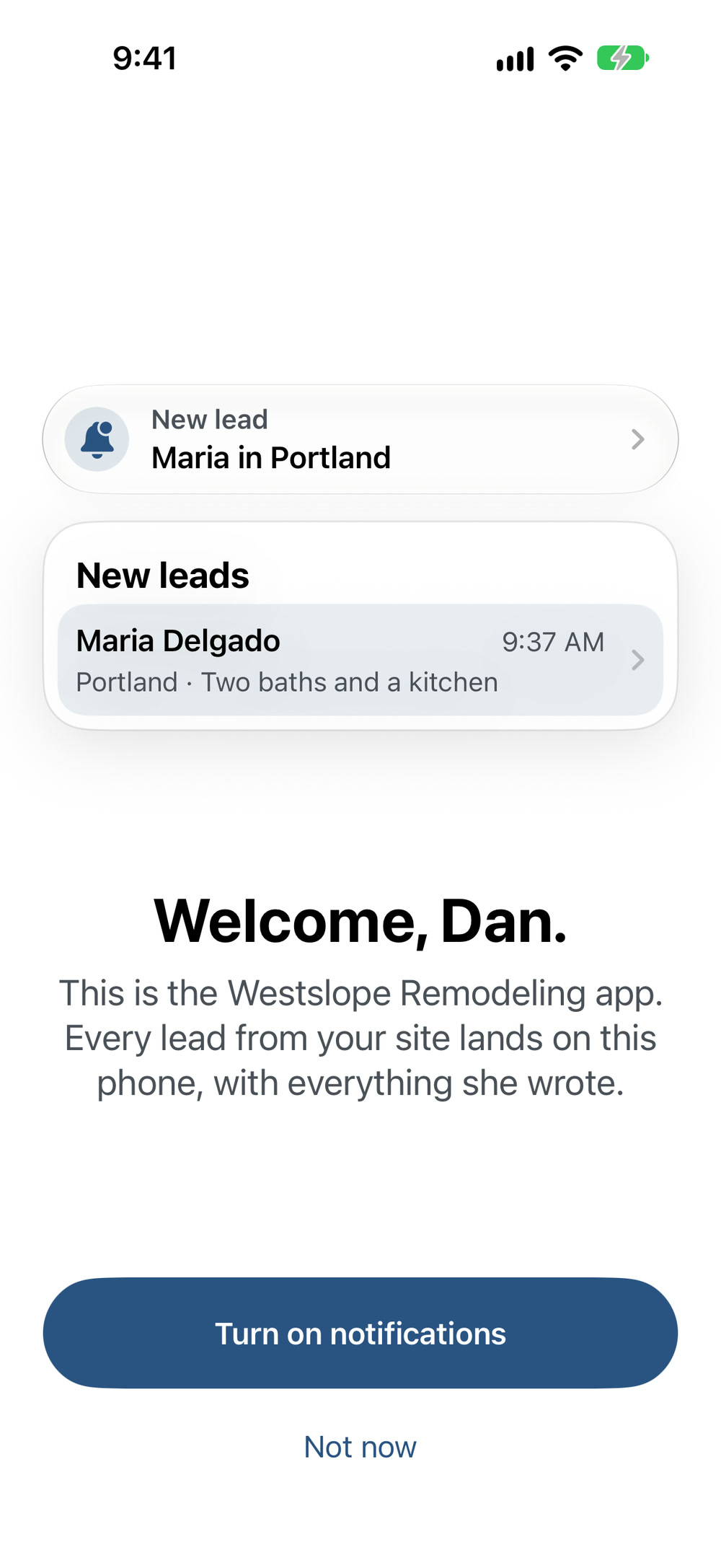
Say yes to notifications.
One buzz when a lead lands, and nothing more.
Questions I get.
Something else? Email me, or ask in the app's Messages tab once you're in.
- Do I need an invite code?
- Yes. One per person. Yours is in the email I sent when your site went live. You add your own office and crew from the Team screen.
- What does the app cost?
- Nothing. It comes with every site I build.
- Which phones does it run on?
- An iPhone 11 or newer, on iOS 26 or later. Most phones get there with the free update under Settings, General, Software Update. Android isn't here yet.
- Can my office manager use it too?
- Yes. Add them from the Team screen and they get their own code and login. Each person picks their own notifications and quiet hours.
- What if I have no signal at a job site?
- Everything you do is saved on the phone and sends itself when you're back in range. Your leads are there to read either way.
- Is my data private?
- Your leads are yours. Only your company's logins and I can see them. Card details for anything you order never touch the app. The privacy policy says the rest.
- Where do the leads come from?
- The form on your site. Every request is traced to the search and the town that produced it, and that's what you see on the lead.
- Where do I get help?
- The Messages tab in the app, or email me. There's also a support page.